Search Performance Analytics

Go beyond standard Google Search Console reporting with bulk data integration and deep-learning capabilities that reveal up to 90–100% of the keywords bringing visitors to your site. 

Uncover the Real Performance of Your Pages on Google

Leverage seoClarity's bulk Google Search Console integration to analyze 2–10x more search data than Search Console provides, while extending those insights into AI-powered workflows with our GSC MCP Server.

Search Analytics Top Image v1.0

Explore the Intent of Organic Traffic

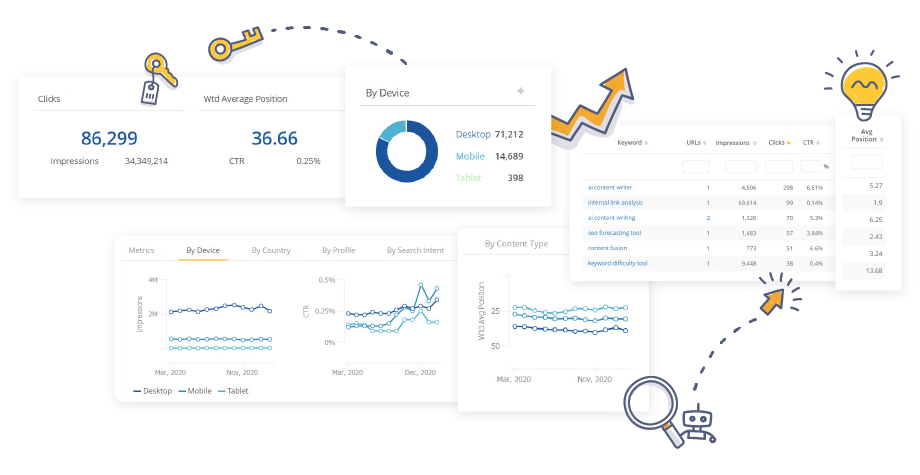
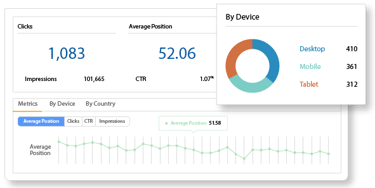
Understand what drives organic clicks by segmenting keyword performance by search intent, device, country, content type, and more. 

Track Brand vs Non-Brand Keywords

Separate branded and non-branded traffic to measure brand visibility, uncover non-brand opportunities, and monitor performance trends. 

Boost Your Page-Level Performance

See which keywords actually drive traffic to each page, compare them with your target keywords, and uncover content optimization opportunities. 

Analyze CTR By Position

Track click-through rates across the top 10 positions to understand how rankings and changing SERPs impact organic traffic. 

Discover High-Impact Growth Opportunities

Find high-impression, low-click pages and underperforming keywords to prioritize content improvements, CTR optimization, and new landing pages. 

Connect GSC Data to Your Preferred AI

Bring search performance data into AI workflows with our GSC MCP server. Ask natural-language questions to investigate keyword trends and uncover optimization opportunities faster.

search-analytics-keyword-performance-data

Unlock 450x More Keyword Insights

Incomplete keyword data makes it hard to understand what's driving traffic and where growth opportunities exist. seoClarity uses machine learning to uncover up to 450x more keyword performance data, giving you a more complete picture of organic search performance.

Powered by Clarity Grid, Search Analytics connects SEO data sources for deeper analysis, while our Google Search Console MCP Server brings these insights into AI workflows without endless spreadsheet exports.

search analytics google search console

Monitor Multiple Sections of Your Site in Seconds:

With Search Analytics, you can:

  • Track which keywords drive traffic to specific pages.
  • Measure page performance against target keywords.
  • Identify content gaps and new keyword opportunities.
  • Access historical Google Search Console data.
  • Analyze search intent alongside page-level performance.
  • Compare mobile and desktop search performance.
  • Track CTR trends and correlate changes with metadata and schema updates.
  • Use our MCP Server to bring search performance data into AI workflows and investigate opportunities using natural-language prompts.

FAQs About seoClarity's Search Analytics

Can we combine data if our enterprise manages multiple Google Search Console profiles?
Yes. Managing multiple GSC profiles across a large enterprise normally makes it difficult to see how the company is performing as a whole or to quickly spot lost traffic and new opportunities. By utilizing the bulk export option from GSC into seoClarity, you can conveniently access aggregated data for complete, unified analysis across all of your profiles in one place. 
How far back does historical data go once we connect our GSC profiles?
While native Search Console only retains 16 months of rolling data, seoClarity stores your historical search performance indefinitely from the moment you integrate. This ensures you always have multi-year benchmarks available for accurate year-over-year forecasting and seasonality analysis. 
Can we segment performance by specific site sections or URL folders?
Absolutely. You can dynamically group and filter pages by URL structure, subdirectories, or custom page templates without needing developer support, making it effortless to track how specific product lines, blogs, or regional subfolders perform over time. 
How does this solution help us adapt to changing SERP layouts and AI search features?
By tracking trended CTR by rank position over time, you can immediately see if a drop in clicks is caused by a ranking loss or by new SERP features pushing organic results further down the page. This insight helps you prioritize where to optimize rich snippets, refine titles, or adjust your content strategy. 
airballoon
Get a Free Demo

Boost Your Online Visibility

Get a Free Demo