SEO Split Testing Playbook
Adding Store Descriptions Increased
Clicks on Location Pages
By Matt Greco, Sr. Technical Account Manager
Schema & Structured Data | Location Page




By Matt Greco, Sr. Technical Account Manager
Schema & Structured Data | Location Page
One view holds that store pages don't need copy: a searcher wants directions and hours, and the page already has both. The case for adding a description is that specific, non-templated detail about each store gives Google more to match against local queries and gives a shopper a reason to pick that result. Placing the same text in the Store schema hands search engines that detail in structured form too.
The risk was scale. A short paragraph is a small signal on a page people mostly use for logistics, and it could easily get lost in the noise.
The team used seoClarity's SEO Split Tester to split 470 location pages into a test group and a comparable control group.
On the test pages, a unique description of each store was added to the visible page and injected into the existing Store schema. Control pages kept the original template. The test ran for five weeks.
Verdict: Positive lift, significant at 97.4% confidence
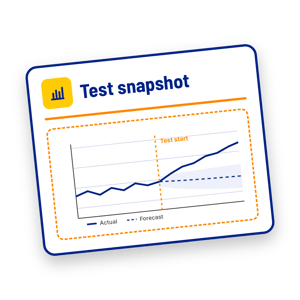
Test group: +2,954 organic clicks vs. the model's predicted performance
.png?width=800&height=419&name=STP%20-%206%20-%20Image%202%20(Test%20vs.%20Control).png)
.png?width=800&height=419&name=STP%20-%206%20-%20Image%201%20(Analyze%20Impact).png)
*Editorial Note: The +2,954 clicks is the gap between what the test pages actually earned over five weeks and the model's forecast of what they would have earned without descriptions, using the control group as its baseline. It is the incremental gain, not raw growth. The impressions figures compare the test window with the five weeks before it and are not modeled.
Location pages are easy to treat as a data feed: pull the address and hours, publish, repeat. This result suggests the store-specific detail a template leaves out has value of its own, both for search engines deciding which page answers a local query and for shoppers comparing results.
Two qualifiers to keep in mind: 1) The copy and the schema changed together, so this test can't say which one did the work. 2) The descriptions were written for each store; a sentence spun across hundreds of pages with only the city name swapped would likely read as boilerplate and earn less.
Roll descriptions out to the remaining location pages in phases, starting with the stores that draw the most search demand. ClarityAutomate can publish the visible copy and the matching schema at the edge, so each batch goes live without a separate development cycle.
This was a controlled split test. Comparable location pages were held back as a control, so the lift can be read as the effect of the descriptions rather than seasonality or a sitewide trend.
It ran on seoClarity's SEO Split Tester with minimal setup, proving the change on a sample of pages before any wider rollout.
Store descriptions are one idea worth testing on location pages, alongside FAQ content, internal links from category pages, or richer LocalBusiness markup that you can prove before committing developer time.
Want to run a version of this test? See how seoClarity can help.