What Are Internal Linking Tools Actually Doing?
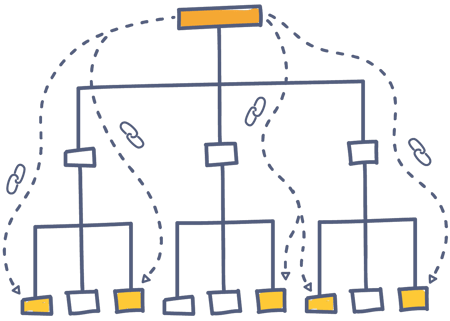
Internal linking tools help you understand and improve the way pages on your site link to one another.
In practice, most tools focus on some mix of:
- Internal link structure analysis (for example: finding orphan pages and measuring click depth from the homepage)
- Link opportunity discovery (suggesting which pages should link to which pages, ideally based on topical relevance)
- Execution workflows (helping you add links in your CMS, sometimes at scale)
Some products are primarily diagnostic (they find problems and opportunities but don't insert links). Others are designed to help you act quickly in the editor or via automation.
Comparison Table: Internal Linking Tools At A Glance
|
Tool
|
Best For
|
Platform
|
AI-Powered
|
Multi-CMS
|
Bulk Linking
|
GSC Integration
|
Starting Price
|
|
Ahrefs Site Audit
|
Deep internal link auditing/opportunity reporting (manual implementation)
|
Any (audit only)
|
Not listed
|
Not listed
|
Analysis only
|
Yes
|
Starter $29/mo (Lite $129/mo; Standard $249/mo)
|
|
AIOSEO (All in One SEO)
|
WordPress site managers wanting internal linking reports + orphan detection via Link Assistant
|
WordPress
|
Partial
|
No
|
Not listed
|
Not listed
|
Free + premium
|
|
AIOSEO Pro
|
WordPress sites wanting Link Assistant suggestions within a broader SEO + WooCommerce suite
|
WordPress
|
Not listed
|
No
|
Not listed
|
Not listed
|
$49.50/yr (Basic, no Link Assistant); $199.50/yr (Pro w/ Link Assistant)
|
|
InLinks
|
Semantic/entity-based internal linking + topical authority work (can auto-insert via JS)
|
Not listed
|
Yes
|
Not listed
|
Not listed
|
Not listed
|
From $39/mo
|
|
Internal Link Juicer
|
Budget, rule-based auto internal linking (keyword→URL) in WordPress
|
WordPress
|
No
|
No
|
Keyword-based
|
No
|
Free + premium
|
|
Link Whisper
|
WordPress in-editor link suggestions with orphan detection + some bulk workflows
|
WordPress
|
Yes
|
No
|
Limited
|
Yes
|
$77/year
|
|
LinkBoss
|
Scalable, semantic AI internal linking with true bulk interlinking and multi-site management
|
WordPress, Shopify
|
Yes
|
Yes
|
Yes (up to 2,000 links in one click)
|
Yes
|
Free + premium
|
|
Linkbot
|
Fully automated internal linking across any CMS via GTM/JS snippet
|
Any (via GTM/JS)
|
Not listed
|
Yes
|
Yes (full auto)
|
Conflicting info
|
$49/mo
|
|
Linkilo
|
WordPress sites needing cannibalization + anchor distribution reporting
|
WordPress
|
Not listed
|
No
|
Not listed
|
Not listed
|
$149/year
|
|
LinkStorm
|
Any-CMS internal linking with GSC-driven prioritization + auto-linking
|
Any CMS
|
Not listed
|
Yes
|
Yes (auto-link)
|
Yes
|
$30/mo
|
|
Rank Math
|
Basic internal link suggestions + link counting within a WordPress SEO plugin
|
WordPress
|
Partial
|
No
|
No
|
Not listed
|
Free + premium
|
|
Rank Math Pro
|
WordPress SEO suite with internal linking suggestions (not for bulk ops)
|
WordPress
|
Not listed
|
No
|
No
|
Yes
|
Starts at $59/yr
|
|
Screaming Frog
|
CMS-agnostic crawling/export for manual internal link audits
|
Any (audit only)
|
No
|
Not listed
|
No
|
No
|
Free (≤500 URLs); £199/yr (~$250/yr) unlimited
|
|
Screaming Frog SEO Spider
|
Technical internal link crawling/diagnostics (anchors, depth, redirects)
|
Not listed
|
Not listed
|
Not listed
|
Not listed
|
Not listed
|
Free (≤500 URLs); $259/yr unlimited
|
|
SEOJuice
|
Automated internal linking bundled with other on-page SEO automations (API-based)
|
Not listed
|
Yes
|
Yes
|
Not listed
|
Not listed
|
€49/mo (~$53)
|
|
Semrush Site Audit
|
Enterprise-grade site-audit reporting/visualization for internal linking issues (manual fixes)
|
Any (audit only)
|
Not listed
|
Not listed
|
Analysis only
|
Yes
|
$139.95/mo
|
|
seoClarity
|
Enterprise teams needing internal link analysis + opportunities inside Content Optimizer workflow
|
Not listed
|
Yes
|
Yes
|
Not listed
|
Not listed
|
Request a quote
|
|
Sitebulb
|
Visual, stakeholder-friendly internal link structure analysis via desktop crawling
|
Not listed
|
Not listed
|
Not listed
|
Not listed
|
Not listed
|
$13.50/mo
|
|
Yoast SEO
|
Beginners wanting basic internal linking suggestions inside a popular WP SEO plugin
|
Not listed
|
Partial
|
No
|
Not listed
|
Not listed
|
Free + premium
|
|
Yoast SEO Premium
|
Yoast users wanting inline suggestions (no bulk operations)
|
WordPress
|
No
|
No
|
No
|
No
|
$119/yr
|
seoClarity for Internal Linking
If internal linking is a recurring, cross-team workflow for you, the biggest question usually isn't whether a tool can suggest links. It's whether those suggestions are connected to:
- a crawl that reflects your real site architecture
- the content workflows your team already uses
- the scale of your site (tens of thousands of URLs, multiple teams, and many sections)
seoClarity's internal linking approach implements generative AI and NLP to analyze, create, and publish deep contextual links at scale.
Pros and Cons of seoClarity's Internal Linking Solution (Honest Trade-Offs)
Pros
- Zero Dev Dependencies: Execute internal link tests and deployments with a single line of code. Bypass IT queues and development bottlenecks entirely.
- Topical relevance-driven opportunities. The platform automatically surfaces internal link opportunities based on topical relevance between pages using generative AI and NLP.
- Complete Customization & Control: Review, approve, or modify AI-generated links on the fly. Train the algorithm using priority pages, keyword preferences, or strict block lists to match your exact SEO strategy.
- Effortless Link Maintenance: The system automatically uncovers new link opportunities and proactively repairs broken or outdated links as your site evolves.
- Tech Stack Agnostic: Works flawlessly alongside any Content Management System (CMS). It’s a practical step up from restrictive, WordPress-only plugins.
- True Enterprise Scale: Designed as the only front-to-end automated solution to implement and optimize internal links across thousands of pages instantly.
- Suggestions appear inside an existing content workflow. Internal link suggestions surface directly inside Content Optimizer, so content teams can act without bouncing between standalone reports.
Cons
- Cloud-based only. It does not currently offer a desktop/offline crawl mode for teams that specifically want an on-machine crawler.
- Heavier than a single-purpose plugin. Because suggestions live inside Content Optimizer, teams that want a lightweight, dedicated internal linking tool may find an integrated platform less simple than a plugin built only for this one job.
Specifications and Data of seoClarity's Internal Linking Solution (What You Can Expect)
- Execution Setup: Requires adding just one line of code; runs securely via ClarityAutomate infrastructure.
- Opportunity Logic: Identifies target pages based on search demand, ranking data, and impressions, then uses AI and NLP to build semantically related link clusters.
- Core Capabilities: Front-to-end automation that analyzes, creates, publishes, and maintains deep internal links.
- Workflow Placement: Features a built-in control dashboard to review, approve, and modify automated links before or after deployment.
- Measurement: Built-in reporting to track, test, and monitor the ranking and traffic impact of your AI-generated internal link updates
Pricing of seoClarity's Internal Linking Solution
seoClarity’s internal linking solution generally starts at $3,200/month, with pricing based on your site size and requirements.
Unlike other solutions, seoClarity doesn’t stop at auditing your link structure or recommending opportunities. It provides an end-to-end system to identify, create, deploy, maintain, and measure internal links at enterprise scale.
For large sites, the value is not simply finding better links. It’s replacing a significant amount of manual analysis, implementation, maintenance, and cross-team coordination with one scalable workflow.
When seoClarity's Internal Linking Solution Is a Strong Match
Use this as a quick checklist to see if the platform fits the way you work.
You'll typically get the most value from seoClarity when:
- You manage a large site (or multiple site sections) where architecture matters — and you need orphan detection and click-depth visibility as part of the linking conversation.
- You want internal linking guided by topical relevance — not only keyword rules — so recommendations align with how your content is actually related.
- You prefer an integrated workflow for content teams — where link opportunities show up inside Content Optimizer, close to where updates get made.
- You're operating across CMS environments — and don't want your internal linking process constrained to WordPress-only plugins.
- You want internal linking analysis without adding a separate crawler — because the same crawl infrastructure used for technical audits can support internal linking analysis as well.
How to Choose an Internal Linking Tool in Practice
You can make this decision faster if you anchor on a few practical questions:
- Do you need execution, analysis, or both? Some tools are primarily diagnostic (they surface problems and opportunities). Others help you implement links inside your CMS or via automation.
- Is your site primarily WordPress, or are you multi-CMS? Several tools in the landscape are explicitly WordPress-focused, while others work across any CMS.
- How much scale do you need? Bulk workflows and large URL counts change the requirements quickly.
- Do you want GSC-informed prioritization? Some tools integrate with Google Search Console so suggestions or prioritization can reflect real performance data.
If your internal linking workflow touches multiple teams and thousands of URLs, prioritize a solution that connects site architecture crawling to content execution, rather than treating internal links as a standalone checklist.



 Track Visibility
Track brand citations and mentions in AI search.
Track Visibility
Track brand citations and mentions in AI search.
 Rankings
Interactive rank tracking with unlimited competitors.
Rankings
Interactive rank tracking with unlimited competitors.
 Content
AI insights and GenAI writer meets SEO performance.
Content
AI insights and GenAI writer meets SEO performance.
 Technical
Crawlability, indexation, rankings, traffic, etc. across URL(s).
Technical
Crawlability, indexation, rankings, traffic, etc. across URL(s).
 Research
Instant topic, content, and competitor gaps.
Research
Instant topic, content, and competitor gaps.
 Analytics
Where rankings, traffic, and business impact meet.
Analytics
Where rankings, traffic, and business impact meet.

 API for SEO and AEO
Customizable integration for your search intelligence data
API for SEO and AEO
Customizable integration for your search intelligence data