Create executive-level AI search performance reports through the lens of your unique business structure. Easily track visibility across every line of business, region, and category with granular segmentation.  

AI Search Performance Header Image 1


Get Real Data on What's Working In AI Search

Don't just assume your optimizations are moving the needle. Instantly know which pages, content, or experiences grow AI visibility, traffic, and conversions across ChatGPT, Perplexity, AI Overviews, or any AI assistant.

Automate AI Search Reporting

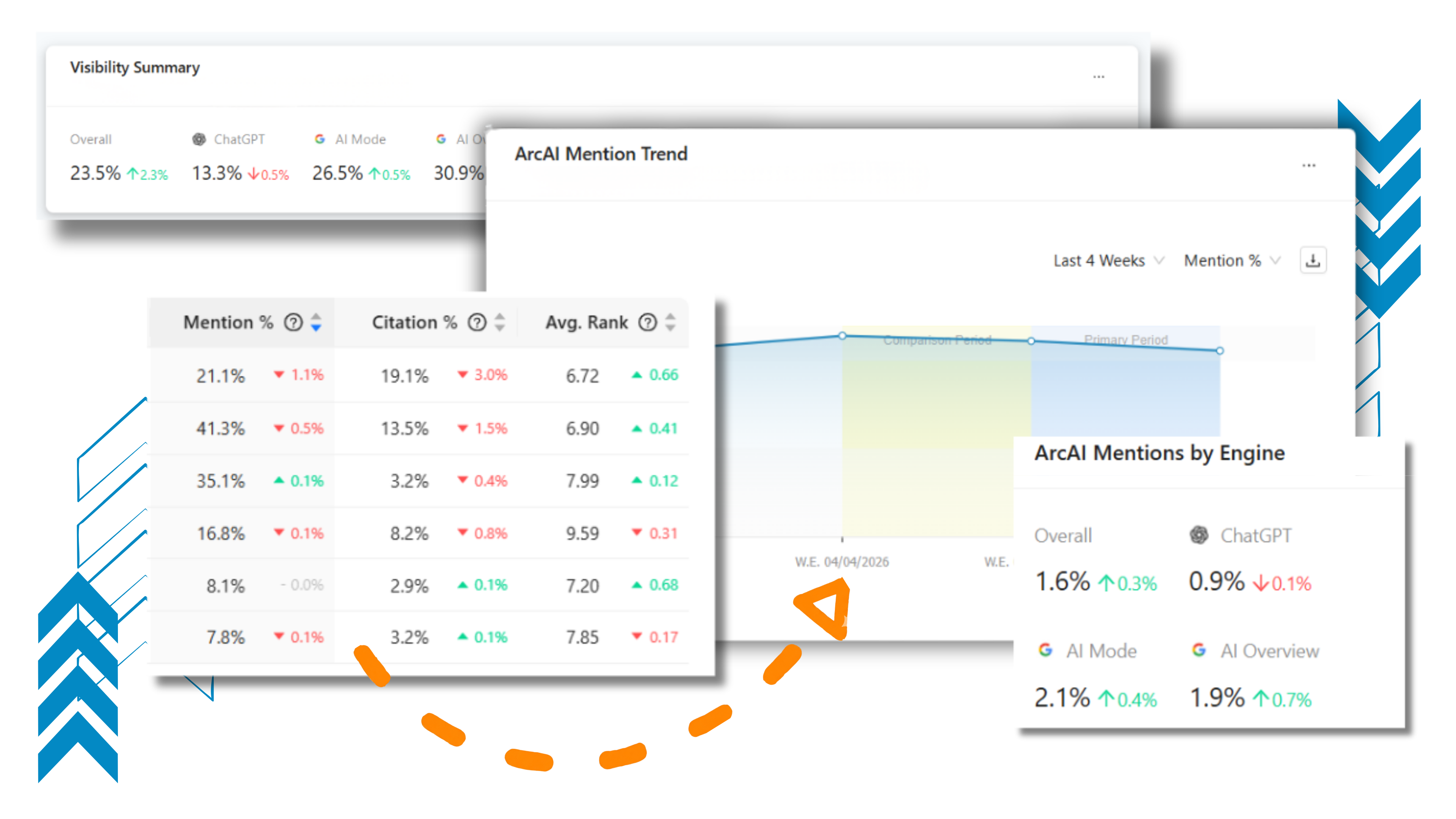
Transform complex AI search data into a compelling story for any audience (from CMOs to Department Heads) with customizable visualization with easy to add widgets or pre-made templates.

Quantify Your AI Market Share

Move beyond "yes/no" visibility to prove your dominance by measuring exactly how much "AI real estate" your brand owns through Mention and Citation Share of Voice.

Create Custom Brand Profiles

Eliminate "one-size-fits-all" reporting by defining the exact logic, geographic regions, and competitors that matter to each of your specific brands or product lines.

Move from Observation to Execution 

Prioritize your high-impact segments by identifying which product lines, buyer journey stages, or competitive threats require immediate attention based on real-time data. 

Measure AI Search Engagement

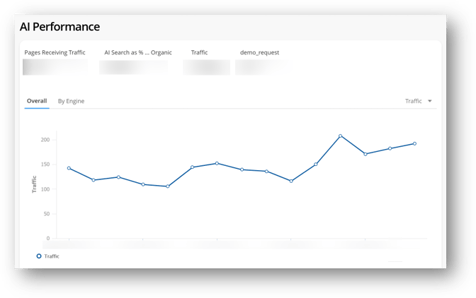
Get clarity on how AI search generated visits convert, engage, and contribute to business outcomes compared to traditional organic search traffic.

Analyze AI Traffic in Context

Compare AI search performance side-by-side with other traffic sources using custom dashboards tailored for AEO insights.

Screenshot 04-08-2025 at 14.44

Your AI Search Reports Aren't Telling the Full Story

AI search visibility doesn’t happen in a vacuum. It varies across every line of business, region, and category.

But most reporting solutions offer a one-size-fits-all view that masks differences across business units and competitive landscapes.

The result? Teams can’t accurately measure performance and report to different stakeholders on what actually matters to them.

Generative AI Doodle-1


Quantify the Business Impact of Your AEO Strategy 

Provide any stakeholder with the information they need with a sophisticated reporting framework that mirrors your actual organizational structure.

By applying granular logic, you can segment performance by specific business units, regions, and unique competitive sets to reveal exactly where you are winning or losing and what to do next.

site-analytics-sliced-performance-01

Turn AI Search Insights Into Action

Answer your leadership’s toughest questions and adjust your AI search strategy with confidence.

  • Monitor Targeted Initiatives: See the direct impact of specific AEO strategies by building reports around distinct experiments, marketing funnel stages, or internal initiatives.
  • Advanced Filtering: Drill into performance by engine, country-language, or response type.
  •  ArcAI MCP Server & API: Automate internal reporting by programmatically accessing all ArcAI data and metrics to power custom AI workflows. 
  • Enterprise Reporting: Build unlimited custom dashboards using an endless combination of visualization widgets.
  • Business Impact Analysis: Track clicks, conversions, and engagement—segmented by content type or tags.
  • Monitor Brand Sentiment: Use the sentiment analysis widget by brand so your PR team can measure their work in AI search.

FAQ: ArcAI Monitoring & Reporting

How do ArcAI dashboards help me report to different stakeholders?
Enterprises have diverse reporting needs; a CMO only needs high-level KPIs like total visibility or traffic, while a department head needs to see performance for their specific division. ArcAI dashboards allow you to build custom views for every level (from C-suite summaries to granular analyst reports) so everyone sees the data that matters to them without having to dig through irrelevant charts.
Can I track different competitors for different parts of my business in ArcAI?
Yes. Most enterprises have multiple business units that compete with different sets of companies in different markets. With Brand Profiles, you can configure unique competitive mappings for each business unit, ensuring your reporting accurately reflects the specific competitive landscape of that division or region. 
How customizable are the ArcAI dashboards?

The dashboards are highly flexible and use a drag-and-drop interface. You can choose from a variety of visualization chart widgets across every ArcAI capability, resize them, and apply advanced filtering and segmentation to mirror your business structure.

What metrics can I track within ArcAI dashboards?
You can track a wide range of AI search-specific metrics, including brand mentions, domain citations, sentiment analysis, and overall visibility. Because the widgets support the same filters as the underlying reports, you can customize them to track the exact KPIs (such as traffic or share of voice) that align with your business goals. 
airballoon
Get a Free Demo

Boost Your Online Visibility

Get a Free Demo